

Highlights
- New live page and streaming backend
- Set a T3 firmware as default via the user interface
- Remote blocking of T3 cameras, end to end: UI, backend and firmware
- Updated recording sharing plus sharing history
- T3-firmware 4.2.0: improved offload and battery percentage on display
- Visible in ZEPCAM Manager which Device Profile is sent to a camera
- Bug fixes and more code moved from the v0 to the v2 API
Functionalities
ZEPCAM Manager 2
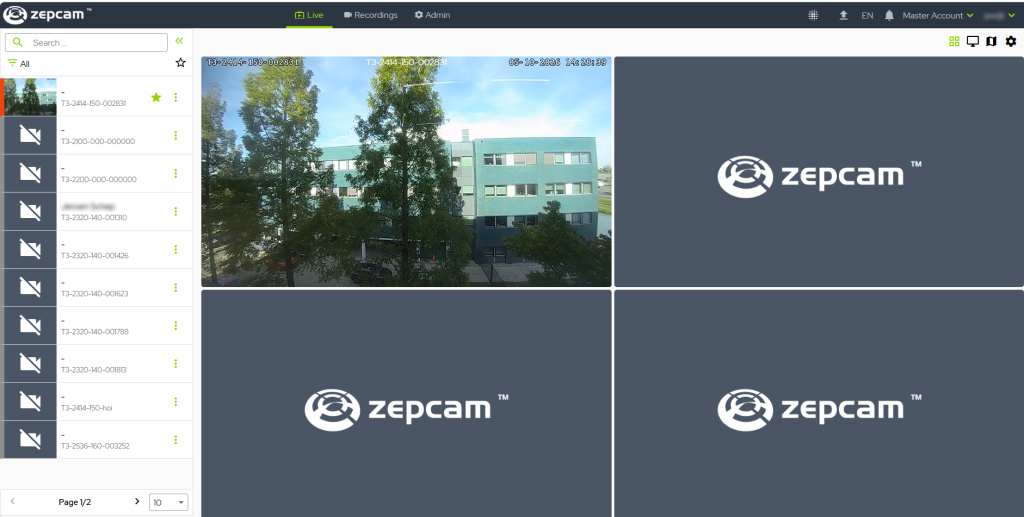
- Revised live page and streaming
ZEPCAM Manager has an updated live page and a restructured streaming backend. This gives better user interaction on the live page and a refreshed look, plus a more secure infrastructure for more extensive streaming features in the future.
The camera selection menu has more filters. Performance has also improved: opening the live page on an account with many cameras the loading times are significantly improved.
- Firmware management
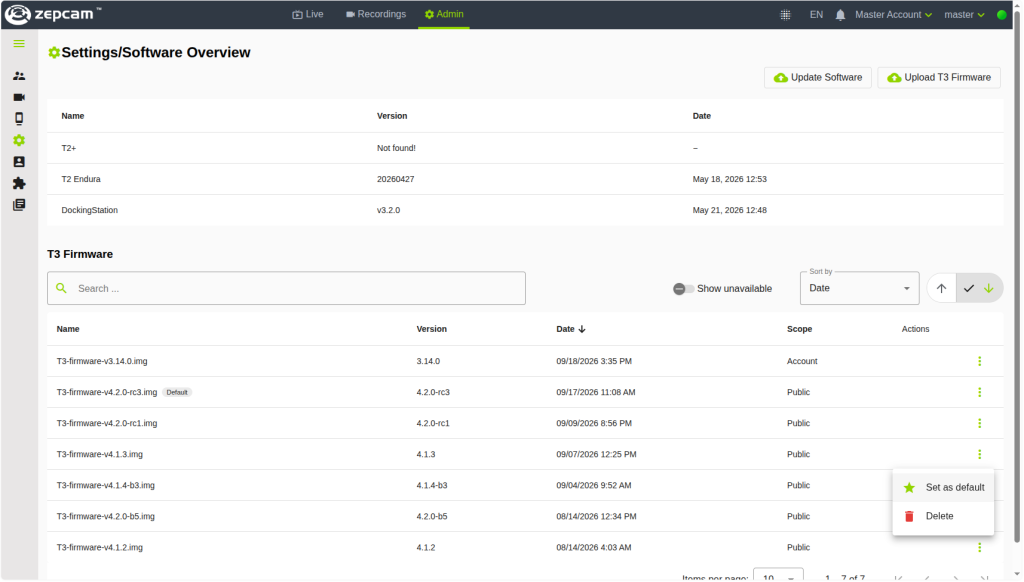
Managing T3 firmware has been reworked to give you more control over which firmware is installed on your bodycams. You can now choose a specific firmware as the default via the user interface.
- Recording sharing
Internal sharing has been updated to make sharing easier, and a sharing history has been added. To share a recording internally, select the share button in the action menu on the recordings page, then select the person to share it with.
After sharing, open the sharing history tab to see which users have access to the recording, along with the expiry date of each share.
- Remote block
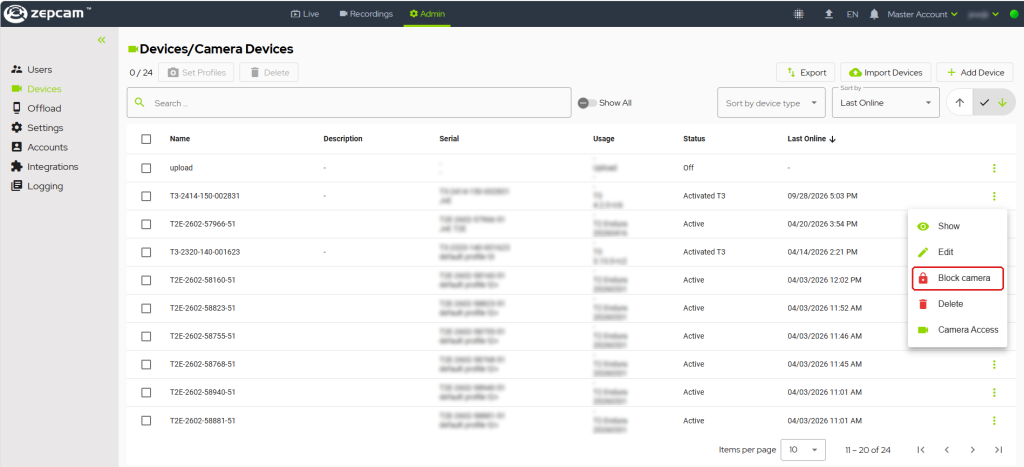
Cameras can now be blocked remotely. A blocked camera is unusable: no recordings can be created and no live streaming is possible, but recordings created earlier can still be offloaded. To block a camera, select it on the devices page and click Block camera.
Once blocked, the camera stops functioning normally immediately if it is connected to the internet. If it is offline, it stops functioning the next time it starts or connects to the internet.
- Device Profile visibility
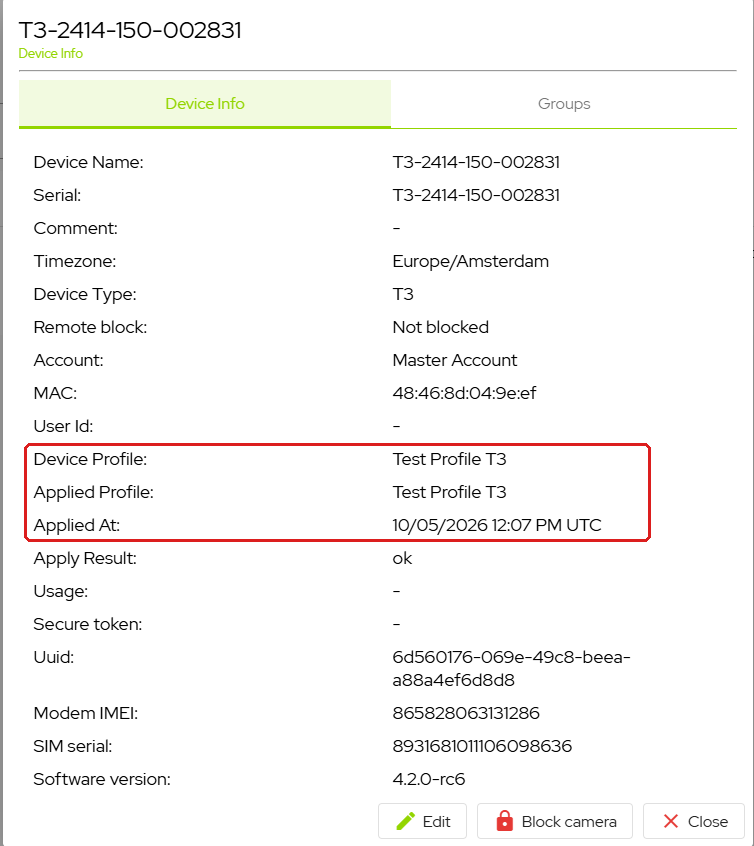
It is now visible in ZEPCAM Manager which Device Profile is sent to a camera.
T3 camera firmware 4.2.0
Version information
This firmware is required for hardware version 140 and newer, and it is compatible with older hardware versions.
Summary
- Improved offload functionality, for both log offloading and recording offloading
- Small security improvement
- UX improvements
- Added infrastructure for camera blocking
- Improved offload and battery percentage on display
How to upgrade
ZEPCAM Cloud
Upgrades are performed automatically.
ZEPCAM On-Premise / Private Cloud
Contact ZEPCAM Support for upgrade instructions: support@zepcam.com
Notes
These functionalities are only available for ZEPCAM Manager 2.
For questions, please contact ZEPCAM Support.